


Manage Services Spend in SAP
Provide suppliers with an intuitive portal to access their POs, check on progress, and record services to SAP, reducing overhead and improving on-time payment.
Capabilities
Built For How Services Actually Get Recorded
{{ f.title }}
{{ f.note }}
{{ f.icon }}Visibility
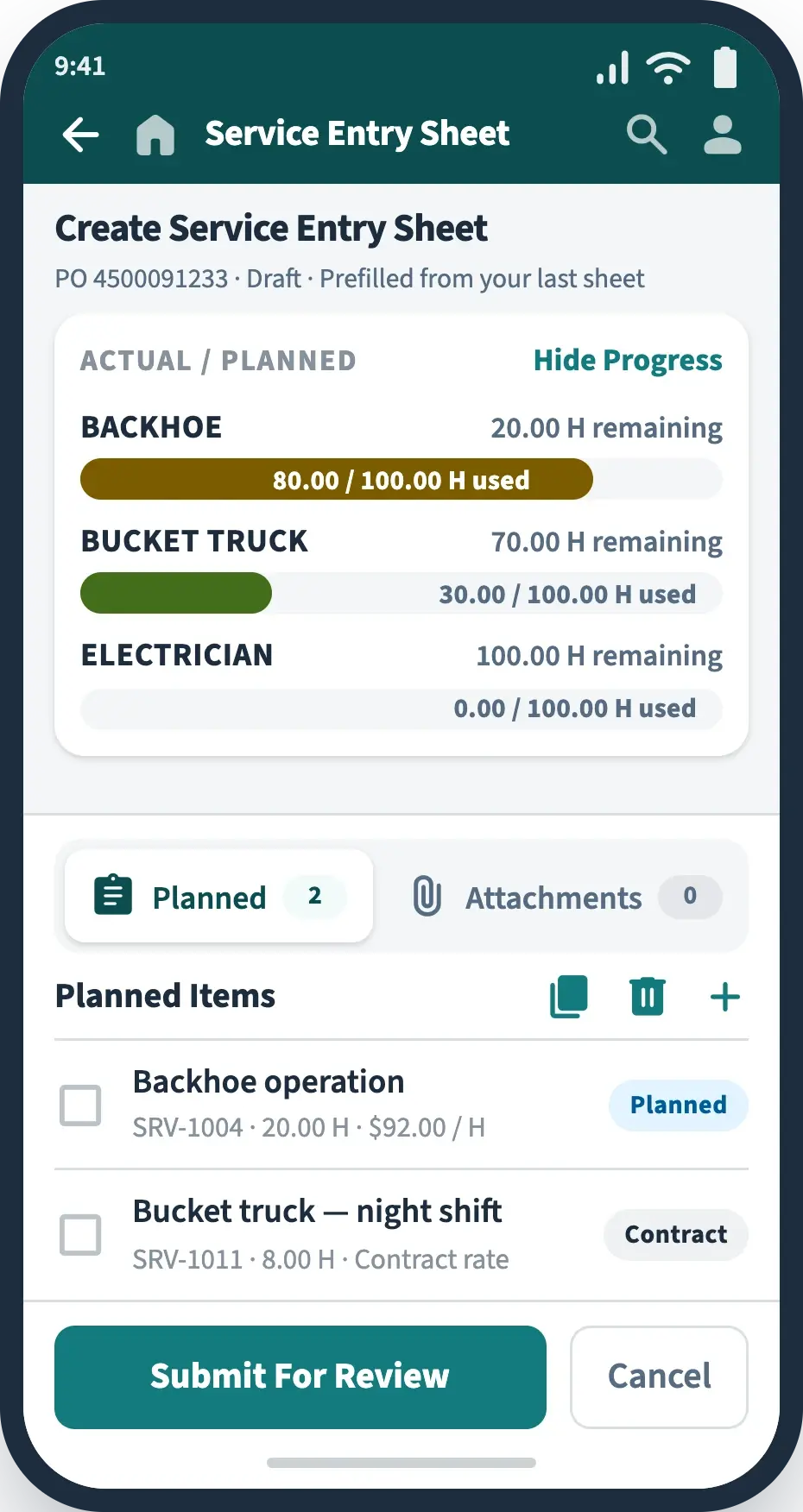
View Real-Time Line Item Status
Present your service providers with visibility to only those purchase orders they will report against. Suppliers can easily review overall progress and remaining capacity, and request extensions if needed.

Coverage
Support Planned, Unplanned, Contract and Statement of Work Services
Capture against planned service lines, overall unplanned limits, contract-defined services, and statement of work deliverables. Dynamic tabs segregate the different types, making it easy to keep track of your data.
Planned
Against PO service lines
Unplanned
Within overall limits
Contract
Outline agreement rates
Contingent
Worker schedules
Guided Entry
Reduce Errors And Re-Work With Guided Entry
Make recording of services easy for all users with consumer-grade guided entry, visual cues, automated data population, and embedded compliance to corporate policies.
See it with your own POs arrow_forward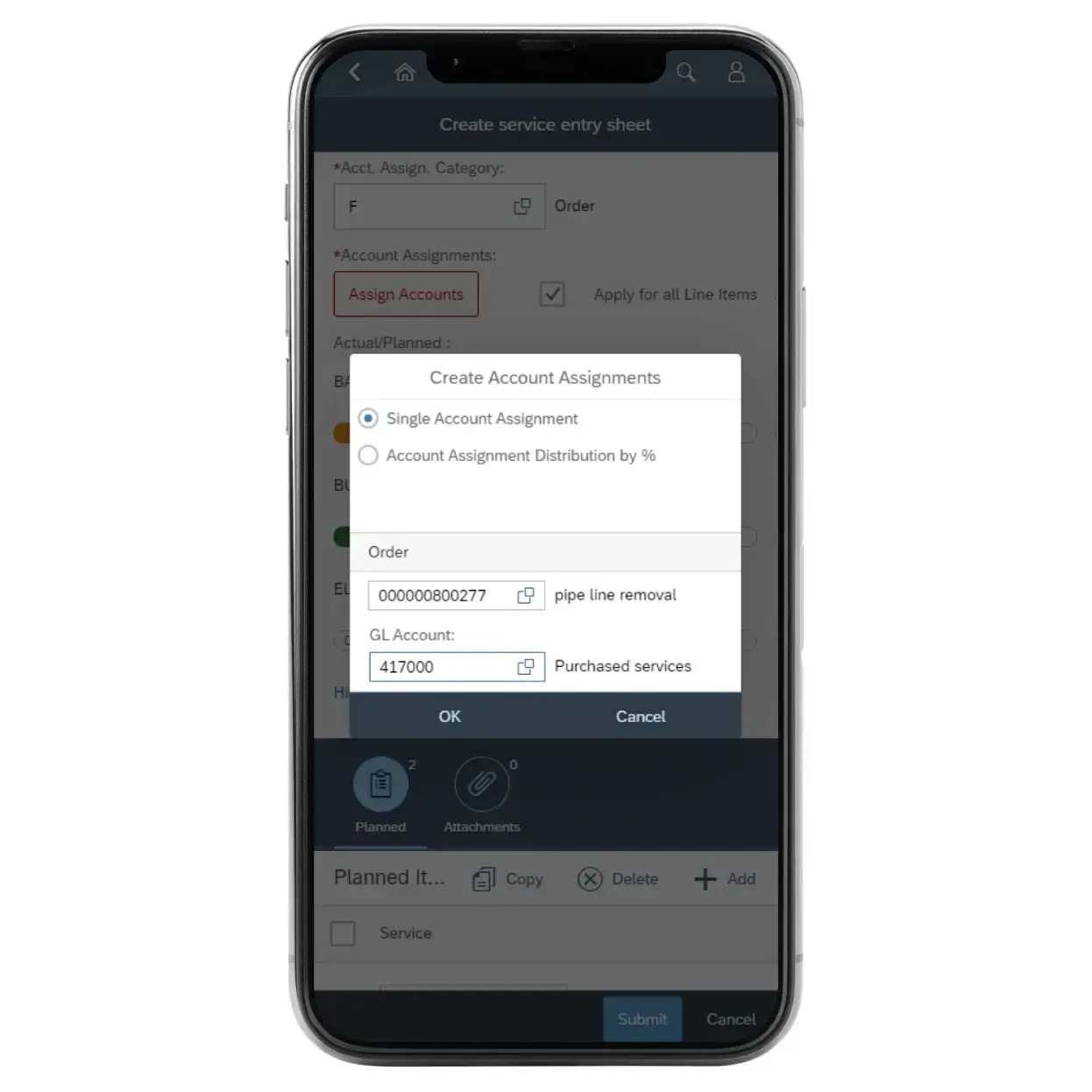
Edge Cases
Filling Additional Gaps For Service Entry
The cases standard SAP leaves open — handled without a workaround.
Account assignment category U. When the PO is left unknown, the service entry sheet still indicates the account assignment flexibly.
Flexible rate sources. Vendors pick from planned PO rates, pre-negotiated outline-agreement rates, or ad-hoc fees and charges.
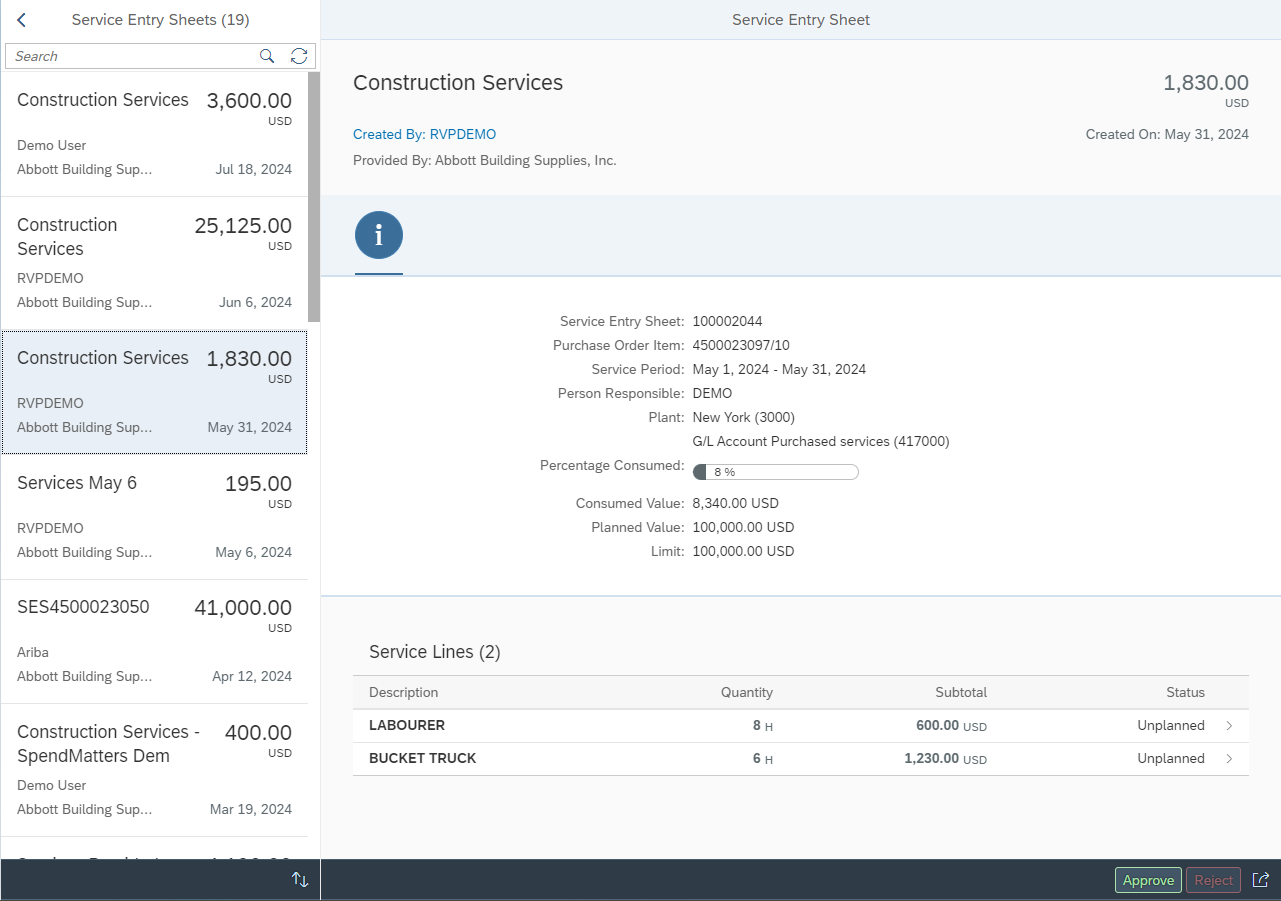
Distinguished for the approver. Each rate source is labelled so reviewers can tell the difference in their Fiori My Inbox.
Answers
Frequently Asked Questions
{{ q.question }}
{{ q.icon }}{{ q.answer }}
Schedule A Demo
Thirty minutes on your own service POs — planned, unplanned, and contract lines side by side.